
PROGRAM: DARE TO CREATE
Level 1 - Rubbert
INTRO TO CHARACTER CREATION IN BLENDER
PROGRAM: DARE TO CREATE
Level 1 - Rubbert
INTRO TO CHARACTER CREATION IN BLENDER
Course Content
Course Content
Designing and creating characters is undoubtedly fascinating; however, what truly gets your heart racing is seeing them come to life on screen.
Designed for aspiring 3D artists and animators, this course will guide you through the essential techniques for creating a production-ready character from start to finish. Before you even open Blender, you’ll learn how to analyze concept art, identify the character’s key requirements, and develop a clear workflow to keep your project organized at every stage.
Throughout the course, we’ll cover the entire 3D character creation process, including:
Character sculpting and refinement
Retopology to create clean, production-ready geometry
UV unwrapping
Materials and texture creation
Rigging and preparing the character for animation
To bring our character to life, we’ll first create a rough 2D animation before producing the final 3D version. The course will conclude with the fundamentals of lighting, rendering, and compositing, culminating in a finished animated piece created entirely with the skills you’ll develop throughout the course.
Course Content
Course Content
Designing and creating characters is undoubtedly fascinating; however, what truly gets your heart racing is seeing them come to life on screen.
Designed for aspiring 3D artists and animators, this course will guide you through the essential techniques for creating a production-ready character from start to finish. Before you even open Blender, you’ll learn how to analyze concept art, identify the character’s key requirements, and develop a clear workflow to keep your project organized at every stage.
Throughout the course, we’ll cover the entire 3D character creation process, including:
Character sculpting and refinement
Retopology to create clean, production-ready geometry
UV unwrapping
Materials and texture creation
Rigging and preparing the character for animation
To bring our character to life, we’ll first create a rough 2D animation before producing the final 3D version. The course will conclude with the fundamentals of lighting, rendering, and compositing, culminating in a finished animated piece created entirely with the skills you’ll develop throughout the course.
STUDENT PROFILE
Who is this course for?
Introduction to Character Creation in Blender was designed for anyone over the age of fifteen who wants to create animated characters. No drawing experience is required—what matters is having a genuine passion for creating and animating characters.
Without the pressure of grades or the inhuman demands of endless assignments, we’ll turn your journey into character creation into a glorious adventure. That said, to achieve the best results, we recommend committing yourself to putting in the effort required to complete the assigned exercises and even exploring beyond the material covered in class.
Your love for this art form, combined with your passion for creating, should serve as a powerful driving force—one that willingly and enthusiastically carries you through to the successful completion of the course.
YOU ARE 15 or older
you love animation
you like to create characters
you're eager to learn
STUDENT PROFILE
Who is this course for?
Introduction to Character Creation in Blender was designed for anyone over the age of fifteen who wants to create animated characters. No drawing experience is required, what matters is having a genuine passion for creating and animating characters.
Without the pressure of grades or the inhuman demands of endless assignments, we’ll turn your journey into character creation into a glorious adventure. That said, to achieve the best results, we recommend committing yourself to putting in the effort required to complete the assigned exercises and even exploring beyond the material covered in class.
Your love for this art form, combined with your passion for creating, should serve as a powerful driving force—one that willingly and enthusiastically carries you through to the successful completion of the course.
YOU ARE 15 or older
you love animation
you like to create characters
you're eager to learn
What you'll learn:
3D Digital Sculpting
Shape, form, proportion, silhouette and negative space.
Retopology
Vertices, edges, faces, tris, quads, ngons and loops.
UV unwrapping
Seams and UV layout
Material Creation
Color, roughness, diffuse, specularity.
Rigging and Animation
Bones, weights, controllers, dope sheet and curve editor.
Lighting and Compositing
Key light, fill light, rim light. post-production.
Syllabus:
Conoce el temario:
Class 1 - Your First Steps in Blender
We’ll begin by exploring what Blender is and discovering everything we can create with this powerful tool. Through a series of simple exercises, you’ll gain a clear understanding of the fundamental concepts behind 3D content creation while becoming familiar with Blender’s interface and learning shortcuts that will help you work more quickly and efficiently.
Class 2 - Digital Clay
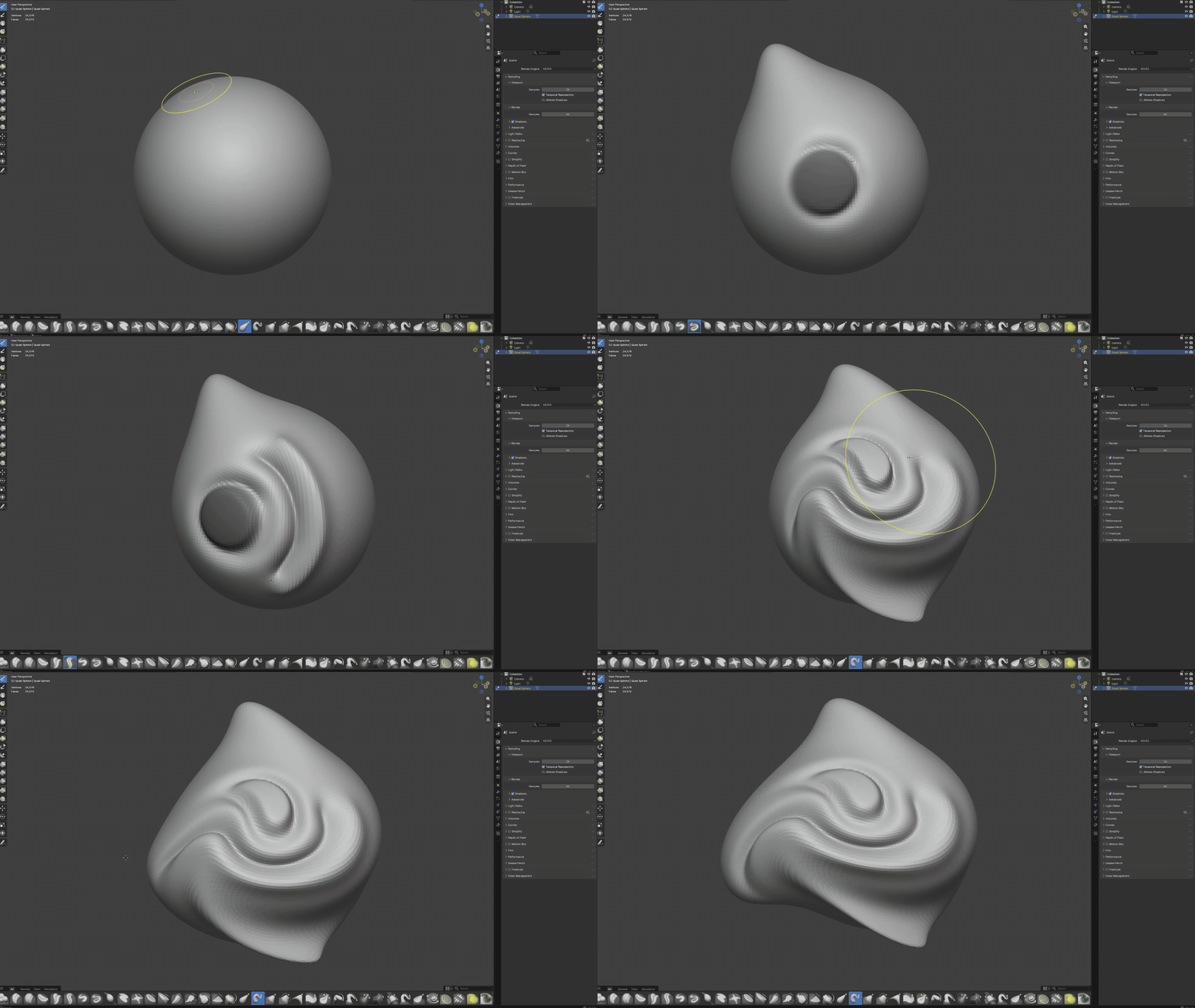
Almost everyone played with clay or modeling dough during childhood. Blender offers a similar experience, but in a virtual three-dimensional environment. In this class, we’ll learn the basic tools of digital sculpting through a series of fun, hands-on exercises. Then, we’ll put what we’ve learned to the test by sculpting Rubbert, the character for our project.
Class 3 - Retopo... What?
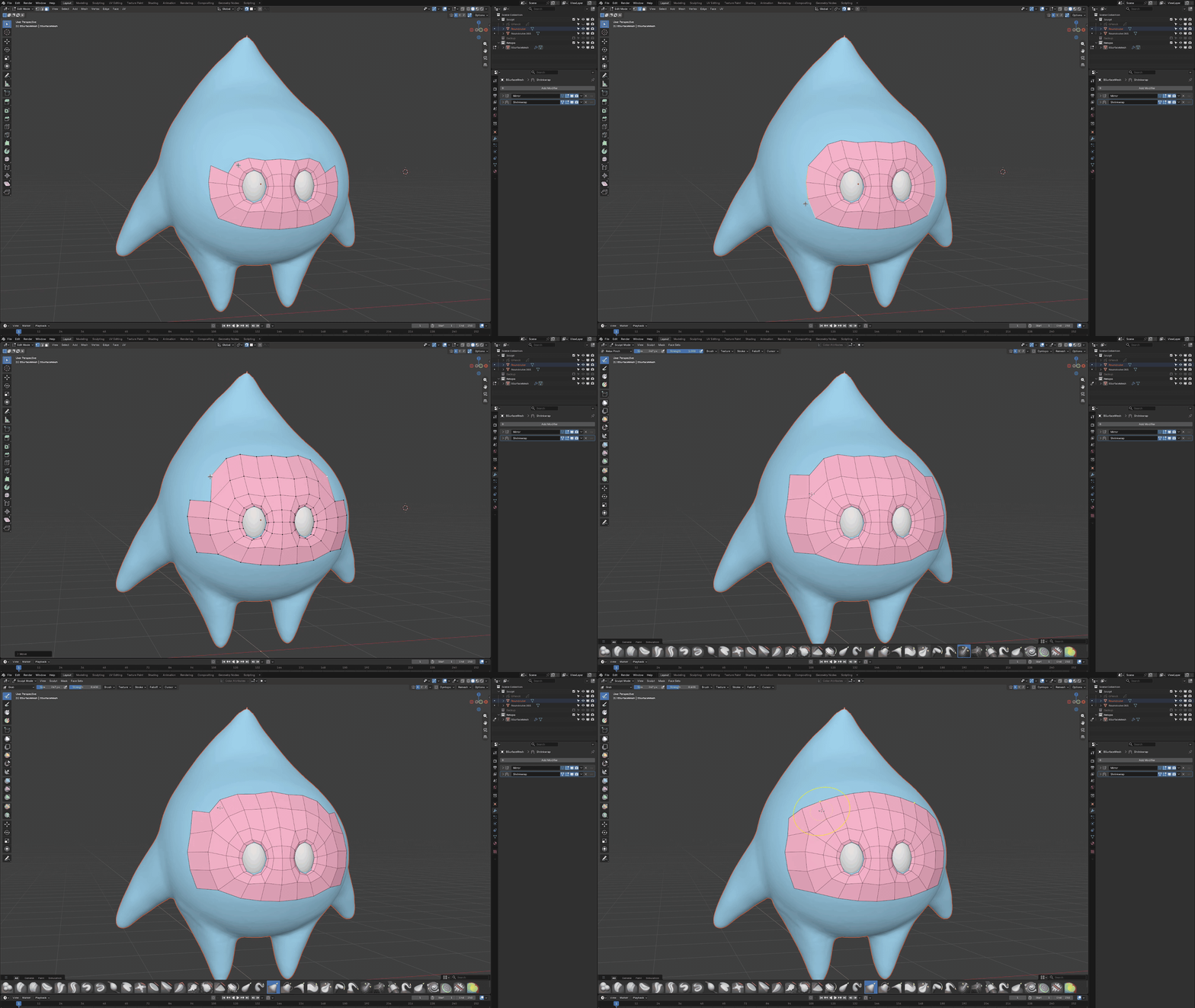
Retopology is the process of recreating a character’s geometry to ensure proper deformation while preserving its original shape. It also helps optimize the model by reducing its polygon count. In this course, we’ll use this technique to prepare our character for animation.
Clase 4 - A Chataracter's Seams
The UV unwrapping process involves unfolding a character’s three-dimensional surface onto a two-dimensional plane. This allows textures and materials to be applied precisely, ensuring they fit correctly across every part of the model. At this stage, we’ll learn how to organize and optimize the UVs to achieve a clean result and streamline the texturing process.
Class 5 - Textures and Materials
In this class, we’ll learn how to create materials and textures using Blender’s powerful node system—an incredibly versatile environment with virtually limitless possibilities. We’ll start with the basics and gradually introduce more advanced tools until we achieve the desired visual result.
Class 6 - The Strings of a Puppet
For a puppet to come to life, it needs joints and controls that allow it to move. In this class, we’ll add bones to our character so it can deform properly, and create a control system that will allow us to animate it intuitively and efficiently.
Class 7 - Animation Step by Step
The time has come to animate our character. To do so, we’ll follow a workflow that allows us to progress in a structured and efficient way: key poses, extremes, breakdowns, and in-betweens.
Class 8 - Lighting, Rendering, and Compositing
Lighting is essential to any animated piece. In this class, we’ll learn basic techniques for achieving high-quality results, configure the render settings, and generate an image sequence that we’ll process in the compositor to achieve the final look.
Syllabus:
Syllabus
Class 1 - Your First Steps in Blender
We’ll begin by exploring what Blender is and discovering everything we can create with this powerful tool. Through a series of simple exercises, you’ll gain a clear understanding of the fundamental concepts behind 3D content creation while becoming familiar with Blender’s interface and learning shortcuts that will help you work more quickly and efficiently.
Class 2 - Digital Clay
Almost everyone played with clay or modeling dough during childhood. Blender offers a similar experience, but in a virtual three-dimensional environment. In this class, we’ll learn the basic tools of digital sculpting through a series of fun, hands-on exercises. Then, we’ll put what we’ve learned to the test by sculpting Rubbert, the character for our project.
Class 3 - Retopo... What?
Retopology is the process of recreating a character’s geometry to ensure proper deformation while preserving its original shape. It also helps optimize the model by reducing its polygon count. In this course, we’ll use this technique to prepare our character for animation.
Clase 4 - A Character's Seams
The UV unwrapping process involves unfolding a character’s three-dimensional surface onto a two-dimensional plane. This allows textures and materials to be applied precisely, ensuring they fit correctly across every part of the model. At this stage, we’ll learn how to organize and optimize the UVs to achieve a clean result and streamline the texturing process.
Class 5 - Textures and Materials
In this class, we’ll learn how to create materials and textures using Blender’s powerful node system—an incredibly versatile environment with virtually limitless possibilities. We’ll start with the basics and gradually introduce more advanced tools until we achieve the desired visual result.
Class 6 - The Strings of a Puppet
For a puppet to come to life, it needs joints and controls that allow it to move. In this class, we’ll add bones to our character so it can deform properly, and create a control system that will allow us to animate it intuitively and efficiently.
Class 7 - Animation Step by Step
The time has come to animate our character. To do so, we’ll follow a workflow that allows us to progress in a structured and efficient way: key poses, extremes, breakdowns, and in-betweens.
Class 8 - Lighting, Rendering, and Compositing
Lighting is essential to any animated piece. In this class, we’ll learn basic techniques for achieving high-quality results, configure the render settings, and generate an image sequence that we’ll process in the compositor to achieve the final look.
MINIMUM REQUIREMENTS
What do you need to take the course?
1. Internet Connection
Download speed: 20 Mbps or higher.
Upload speed: 10 Mbps or higher
Latency / ping: Less than 60 ms.
Connection type: Stable fiber-optic, coaxial cable, or 4G/5G mobile network
Special recommendation: If possible, use an Ethernet cable connected directly to your modem to ensure maximum stability during live class sessions.
2. Computer (Technical Specifications)
Processor (CPU)
Minimum Acceptable: Modern quad-core CPU
Recommended: Modern 6 to 8 core CPU, such as Intel Core i5/i7, AMD Ryzen 5/7, or Apple Silicon equivalent
RAM
Minimum Acceptable: 16 GB
Recommended: 32 GB
Graphics Card (GPU)
Minimum Acceptable: Integrated graphics or dedicated GPU with at least 4 GB VRAM
Recommended: Dedicated NVIDIA RTX or AMD Radeon RX GPU with 8 GB or more VRAM; Apple Silicon is also suitable
Storage
Minimum Acceptable: 256–512 GB available storage, preferably SSD
Recommended: 1 TB SSD or larger
Operating System
Minimum Acceptable: 64-bit operating system
Recommended: Windows 10/11 64-bit, macOS 12 or later, or a current Linux distribution
Important Note: A laptop can be used for the course, but a desktop computer is generally preferable for longer sculpting and rendering sessions because it usually provides better cooling and sustained performance.
3. Graphics Tablet (Our main tool)
You don’t need to invest a fortune to start learning. Today, there are affordable options that still offer excellent quality. Here are our recommendations, all of which come with a battery-free stylus and great precision:
Huion Inspiroy H640P - An excellent balance between portability and quick-access buttons.
XPPen Deco Mini 7 - Comfortable texture with highly responsive stroke performance.
Gaomon S620 - One of the most affordable options on the market, ideal for tight budgets.
4. Golden requirement
Your satisfaction is our commitment, and we will do everything we can to provide you with the best experience. However, that will only be possible if you meet the most important requirement: a strong desire to learn and the passion to work with genuine enthusiasm!
START DATE
Tuesday, January 12 - 7:00 PM CST
- Tuesdays and Thursdays, 7:00 PM to 9:00 PM (two sessions per week)
- Sixteen sessions (32 total hours spread over eight weeks)
- Groups of eight students
- Fully live sessions
START DATE
Tuesday January 12 - 19:00CST
- Tuesdays and Thursdays, 7:00 PM to 9:00 PM (two sessions per week)
- Sixteen sessions (32 total hours spread over eight weeks)
- Groups of eight students
- Fully live sessions
LEARNING FROM SOMEONE WHO ACTUALLY CARES MAKES A HUGE DIFFERENCE...
Mau Flores
Born in Mexico City in 1984 and with nearly 20 years of industry experience, Mau has proven himself to be a highly versatile artist. His mastery of the fundamentals has enabled him to work as a 3D Generalist, Rigging Supervisor, Art Director, Director, Environment Artist, Character Designer, and Animator, working for both domestic and international studios across sectors such as advertising, film, television, previsualization, and video games. With over a decade of passionate and dedicated teaching, he has had the privilege of training artists through both private educational institutions and personal mentoring. He is now embarking on his latest venture, Kapokoro Animation School, with the firm intention of offering an affordable alternative for anyone wishing to study animation.

LEARNING FROM SOMEONE WHO ACTUALLY CARES MAKES A HUGE DIFFERENCE...
Mau Flores
Born in Mexico City in 1984 and with nearly 20 years of industry experience, Mau has proven himself to be a highly versatile artist. His mastery of the fundamentals has enabled him to work as a 3D Generalist, Rigging Supervisor, Art Director, Director, Environment Artist, Character Designer, and Animator, working for both domestic and international studios across sectors such as advertising, film, television, previsualization, and video games. With over a decade of passionate and dedicated teaching, he has had the privilege of training artists through both private educational institutions and personal mentoring. He is now embarking on his latest venture, Kapokoro Animation School, with the firm intention of offering an affordable alternative for anyone wishing to study animation.

TESTIMONIALS
What my former students say...
TESTIMONIALS
What my former students say...
PRICE
Payment Plans
PLAN 3 - THREE PAYMENTS OF:
$110 USD
First payment (Enrollment)
Second payment - Week three
Third payment - Week six
Total cost: $330 USD

PLAN 2 — Two payments of:
$155 USD
First payment (Enrollment)
Second payment - Week four
Total cost: $310 USD
PLAN 1 — One-time payment of:
$298 USD
Total cost: $298 USD
PRICE
Payment Plans
PLAN 3 - THREE PAYMENTS OF:
$110 USD
First payment (Enrollment)
Second payment - Week three
Third payment - Week six
Total cost: $330 USD
PLAN 2 — Two payments of:
$155 USD
First payment (Enrollment)
Second payment - Week four
Total cost: $310 USD
PLAN 1 — One-time payment of:
$298 USD
Total cost: $298 USD
Let us know if you have any questions - [email protected]
© 2026 Kapokoro Animation